What is Amazon A+ Content and Why You Need It
The glitz and glamour of a great sales page — and why serious authors are using it to stand out on Amazon.
Read Article ↓Real strategies, honest playbooks, and the little details that make the difference between a self-published book and a published brand.

The glitz and glamour of a great sales page — and why serious authors are using it to stand out on Amazon.
Read Article ↓
Themes, favorite illustrations, author bio, cause awareness, and quotes — the five modules every A+ page needs.
Read Article ↓
Awards without dates, reviews, competitor mentions, QR codes, and pricing — the five fastest ways to get your A+ content rejected.
Read Article ↓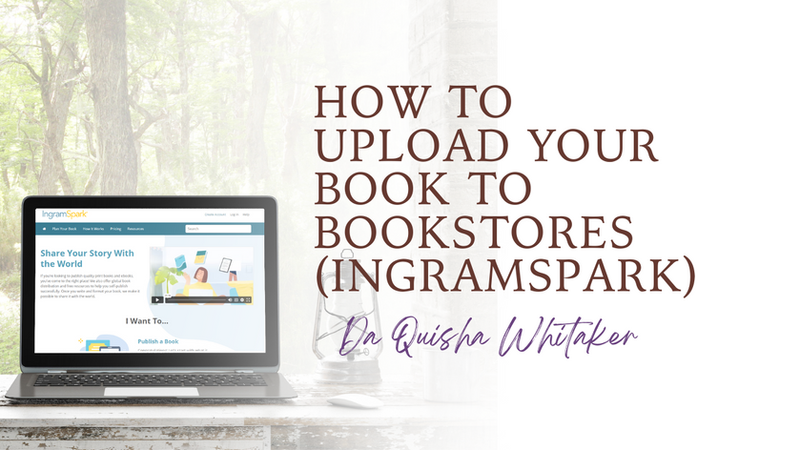
A full step-by-step walkthrough of uploading to IngramSpark — pricing, wholesale discounts, returns, print options, and everything in between.
Read Article ↓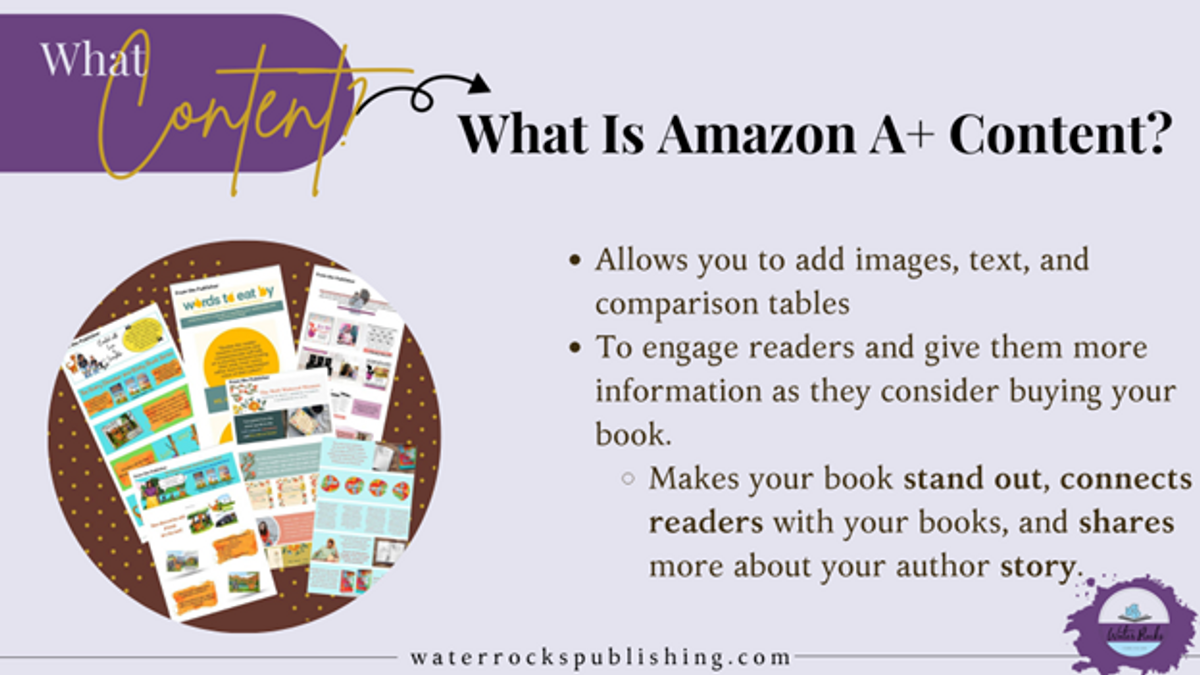
What is Amazon A+ content? When you talk to authors, they're saying, "Why? What is this that people are talking about? Why do I need it? I don't even understand what it is. It doesn't even matter."
Amazon A+ Content is all the glitz and glamor of a sales page! You know, when you're shopping online and go to Walmart and Target's website. Their sales pages DEFINITELY look different. And whether you are shopping online or in person, the shopping experience is different. Some may say Walmart is bland and dull with its blue and hints of yellow. While others will say Target is bright with the red that draws you in. They use that red strategically. When you have Amazon A+ content on your Amazon sales page, it just makes everything pop, like Target! Before potential clients even make their way to the reviews, they are stopped by the eye-catching persuasive A+ Content. And if it's done the right way, it will help potential buyers right there determine if they're going to buy your book.
What is amazing about Amazon is that they allow you to have images, texts, and even comparison charts to help people learn and understand more about you and your book(s).

This is helpful because you're able to engage your reader, give them more information that they're not going to get from that click inside feature, and persuade them to say, "let me take a look at this book because maybe it's something I might want to buy." The A+ Content is strategically placed, so when you're looking on Amazon and you scroll down right before you get to the reviews, you have the A+ Content there shining bright!
Amazon started making Amazon A+ Content available to non-traditional publishers (like you and me!) in October 2021. It has been around for years now for traditional publishers, and they have reaped the reward of it! For a year now, people have started to add this content and they're seeing sales increase like crazy because sometimes when you look at a cover and click the look inside feature, you're only getting maybe three or four pages. Then you're like, "Okay, well what else? What is this book about really? Are the illustrations even good?" If the book doesn't have an eBook version, you can't buy the eBook to see what is inside, leaving you on the fence. "Should I buy this book? Should I not buy this book?"
Then you also have to consider authors who overcharge for their books. Potential buyers are thinking, "I don't know if I want to spend that, $15, $16, or $17 for a book. Is it worth it? What's inside of it? What can it do for me?"
Alright, Brilliant Authors! There you have it. This is what Amazon A+ Content is and why you need it!
And now that you know the what and why, allow me to share the how! We at Water Rocks provide DONE-FOR-YOU Amazon A+ Content Services. You give us the content and design style of your choice — or show us what you like from other A+ Content you've loved — and we will create your Amazon A+ Content for you! It's so simple for you and fun for us! Request a quote today to upgrade your Amazon Sales Page, taking potential buyers from the sales page to the check out page!

Let's talk about layout. You saw a few of my examples and some of my clients. Now when you think about, well, what am I going to do for my Amazon A+ content? This is an excellent question and the first thing you need to do is research. I want you to think about books that are like yours. If you can't think about books that are like yours, go to Amazon and start typing in your title and click on books that are attractive to you, and start scrolling down their Amazon Sales Page, looking for their Amazon A+ Content.
This will give you motivation. It will give you an idea of what kind of content you want to create. I always tell my clients — when they're sending us their books and they want us to do their content for them — to show me examples. Show me what you like. For me, I like three or four different ones. I will take a little bit from here, take a little bit from there, and then put it all together and make it my own. You don't have to think outside the box, just get your inspiration and create.
Themes are nice to share with your potential customers, because they're shared boldly with the book cover — communicating the message quickly and effectively. Themes should be something that you know before you publish. Consider what categories you put your book in. Ask yourself: What does my book teach? What does it represent?
You want your book pages to stand out. Use your favorite pages that have your favorite illustrations, or your favorite quotes, or your favorite journal prompts. This is good for children's books especially because they can see more of the illustrations. Depending on what percentage you set with KDP, potential buyers may only see the first couple of pages. That could be your dedication page, title page, copyright page, and then the first page… THAT'S IT!
You want them to know about you as an author. It's so important that you have this opportunity to be able to share a little about yourself and why you wrote the book.
Causes awareness and facts. Are there any causes or awareness observances that are connected to your book? Holidays? Bullying? Potty Training? Social and Emotional Learning? Affirmations? Mental Health? Share facts about those and how they are connected to your book.
Quotes. Whether it's quotes from editorial reviews or your book itself — use them! I have even used quotes from my favorite characters in the book that really drive home the message of my book. I know when I was doing the potty monster books, I put one of the quotes in there that the little girl and boy say. A parent or teacher may see that affirmation or quote and say, "Ooh, this is a great affirmation. I'm actually working on it with my child." So let me get this book.
Alright, Brilliant Authors! There you have it. These are the 5 things your Amazon A+ Content should have!

Here are 5 Things to AVOID When Creating Amazon A+ Content:
Amazon wants you to stay within the two-year timeframe when you're sharing awards. If you have the seal, you can share the seal on your Amazon A+ content and the title — but it has to be within the last two years.
Amazon has a designated place for reviews already under the A+ Content.
Do not put other authors' books in your content stating how yours is better. Though that may be true, you aren't bashing or cross-referencing other books. Keep your content focused on your book only.
Remember: Amazon doesn't want to drive traffic AWAY from its website. They don't even share their customer lists with authors. Putting QR codes and website links on your content does that. If you have other products that are only available on your website that complement your book, then share images ONLY of those books.
You can't offer a promotional deal on your books where it reflects the discount. Offering these kinds of deals and discounts is okay on your website, but you cannot put that in your content to drive traffic away from Amazon. You cannot say, "If you buy this book, email me your receipt and I'll send you a free XYZ."
There is a whole list of other things you want to avoid. You can head over to kdp.amazon.com and they'll have a list of more. These are the top five I see happening the most where authors are getting rejected — and I want to make sure that it doesn't happen to you.
Alright, Brilliant Authors! There you have it. These are the Do's and Don'ts of Amazon A+ Content!
Let's learn how to upload your book to IngramSpark. I use IngramSpark with my clients to upload their hardcovers, but you can also upload your paperbacks. This is your huge, expanded global distribution. Amazon will have your books in a lot of different places — hundreds of thousands of places! IngramSpark will take your books everywhere: schools, libraries, retail stores, bookstores, you name it.

Start by going to ingramspark.com. Create an account and then log in. When you have logged in, you're going to go to the top right and click add title.
IngramSpark gives you 3 options for uploads:
Note: I do eBooks with Amazon KDP. One, because they are free to upload. Two, because Kindle is the biggest ebook distributor.
Once you select which format you'll be uploading, hit continue. They'll ask if you have all files (you should when you're ready to upload — PDF the Interior and Cover). Once you answer yes, they'll ask: What do you want to do? Print, Distribute, and Sell — or just print? You want to Print, Distribute, and Sell. You're not doing expanded distribution with Amazon KDP because they play the middleman to get to IngramSpark, which means you get less money back in royalties. You want IngramSpark to print, distribute, and sell your books.

Insert the title, language of choice, and the ISBN number you purchased from Bowker. They'll also give you the option to use their FREE ISBN — but you want to select no. Using FREE ISBNs from IngramSpark and Amazon limits how and where you get to distribute and sell your books.
Once you've done that, you'll need to select that you own the work and have copyrights. They also want to double-check with you and make sure there are no famous people, no famous images, no logos, no toys — none of this stuff is in there — before proceeding. You have to approve of that and say, "No, my title does not include any of the above."

Once you click okay, you'll head to the next page where you'll enter the author(s) information. This can be co-authors, editors, illustrators, etc. Whoever you want to add — it's up to you. Then you'll select your categories. Your categories are which genre your book falls in. Try to get as specific as possible. Even look at the subcategories.
Next, select the audience for your book. Is it for college, elementary, juvenile, trade professionals, adults, young adults? Select the appropriate one and then head to the next section — your book description.
The book description is a must, and the easiest way to do this is by adding the same description as you put in Amazon into IngramSpark. After adding the description, check for spelling and grammatical errors. Then add your keywords.
KDP gives you seven (7) spaces to add keywords, whereas IngramSpark does a 500-character maximum. You just need to separate them by a semicolon. Start typing your keywords in — as many as you can fit. For keywords, you want to think of what people will search to find your book. That's what you'll use.
If you'd like us to choose all your metadata (keywords, categories, book descriptions) to ensure you get optimized results with your book sales, CONTACT US.
You'll need to know the trim size and color of your interior paper.
If we're doing a children's book, we strongly suggest using premium colors. You want your images to pop off the page. You don't want them to be dull or ashy. If you're doing a journal, a novel, or a coloring book, black and white is perfect.
For binding, you'll choose whether you want paperback or hardcover. For case laminate, decide if you want gloss or matte for your cover. The gloss has a little shine to it when you move it, whereas matte is more smooth — some may say dull, but very clear. I like them both. It just depends on the kind of book you're publishing.
Next, you'll need to know the page count. Select the market that you are in (country). Once you add that, it will tell you how much it will cost to print your book based on the type of book you want to publish, page count, and cover.
Now you can put in how much you're going to retail your book for. Do your comparative and competitive research to determine how much a book in your genre is. Be sure not to overprice or underprice your book. Then you'll be directed to fill out the wholesale discount. This is the discount that bookstores all over the world will get.
Any store that will carry your book will usually favor 55% when you're doing black and white books. That works, but those color books are so expensive. You want to make sure that you still get a decent royalty — which in my book is anywhere between $2.30 and above. $2.50 is the sweet spot for children's books. As far as the royalty percentage for children's books, we recommend 40% in order to get a good royalty. Novels, journals, and coloring and activity books are good at 55%.
Make sure when you're doing the royalty and price of your book for other countries, that your royalty earnings are positive. Otherwise, it'll turn red and not let you proceed. Play around with the numbers. Other countries' currencies are different — you must change your prices to accommodate their currency so that you are making a profit when you're selling your book.
After you do the royalties for all countries, head to the right column and decide what you want to do about returns. You have three options:
The "no" option is not really an option if you want your book in stores. You must have a return policy — otherwise it's unattractive to them and lessens your chances of getting your books picked up. For instance: the book isn't as popular as they thought, it's not selling, it's holding up space for other books. They want to return them.
Then you have the option of "yes, return them" but deliver them to me. The caveat: the books could have been sitting in a storage unit covered in dust, or ruined, or pages torn out, or returned to the store and it's just deformed. There are all these crazy things that could have happened to this book — and now it's being returned to you, in your house or garage, and you can't sell it because it's ruined.
We don't suggest clicking that option either. We strongly suggest clicking "yes, but destroy it." IngramSpark will accept returns but destroy them for you. Then IngramSpark will prompt you to agree that you understand these options and approve of your prices.
The "Enable Look Inside Feature" is awesome because it gives your potential buyers an opportunity to see a snippet of what your book has to offer. It's usually only about 10% of the book. Maybe a little less, maybe a little more — just depends on how big your book is.
The Large Text Edition option is great for children's books because the font is usually 16-point font. The right-to-left content option depends on if the book is written in Arabic. If you have it right to left, you want to make sure you see that in your printing options.
If you know it, great! Enter it in the space provided. If you don't, that's okay. Try to get as close to your ideal date as possible. Hit continue!
Remember — you need your two print-ready PDF files (print interior and print cover). Upload the files and click continue. IngramSpark is going to check your metadata and the content files to make sure they're all correct without error. It usually doesn't take too long. Once everything is green, you'll be done!
Now it's time to purchase. It was $49. Sometimes IngramSpark has a code they may give out via their emails — so make sure you sign up to ensure you don't miss out. They don't give them out as much as they used to, but every now and then there's a good one! Always look for a code before uploading.
You also have the option of joining an independent author organization like Alliance of Independent Authors (ALLi). For the price of about 2 uploads, you get in return 5 FREE UPLOADS A MONTH! It's a wonderful benefit, and ALLi has a ton of resources, training, discounts, and more to offer independent authors.
If you don't have a code, you'll pay for the upload and click that you agree you have the correct and final edits (because if you don't, you'll have to submit new files for $25 per file — or FREE if you have an ALLi membership). Once the payment is processed, IngramSpark will send you an email within 48–72 hours letting you know that everything is okay, or that they have found some errors that need correcting.
There you have it, Brilliant Author! This is How You Upload Your Book To Bookstores like IngramSpark!
You've read the strategies — now let's build them into your book. Book a free Discovery Call and we'll map out the fastest path from where you are to a published, branded book you're proud of.
Book a Discovery Call